
Does Your Battery Drop Faster Than Your Weekend Plans?
You charge your phone to 100%.
You check a few emails.
Scroll Instagram.
Watch one YouTube video.
And suddenly…
Battery: 37%
Sound familiar?
Most people blame their phone when the battery starts draining quickly.
But here’s the truth:
In many cases, it’s not the phone.
It’s the habits.
Just like poor eating habits can affect your health, poor charging and usage habits can shorten your phone battery’s lifespan.
Let’s look at the biggest battery killers and how to avoid them.
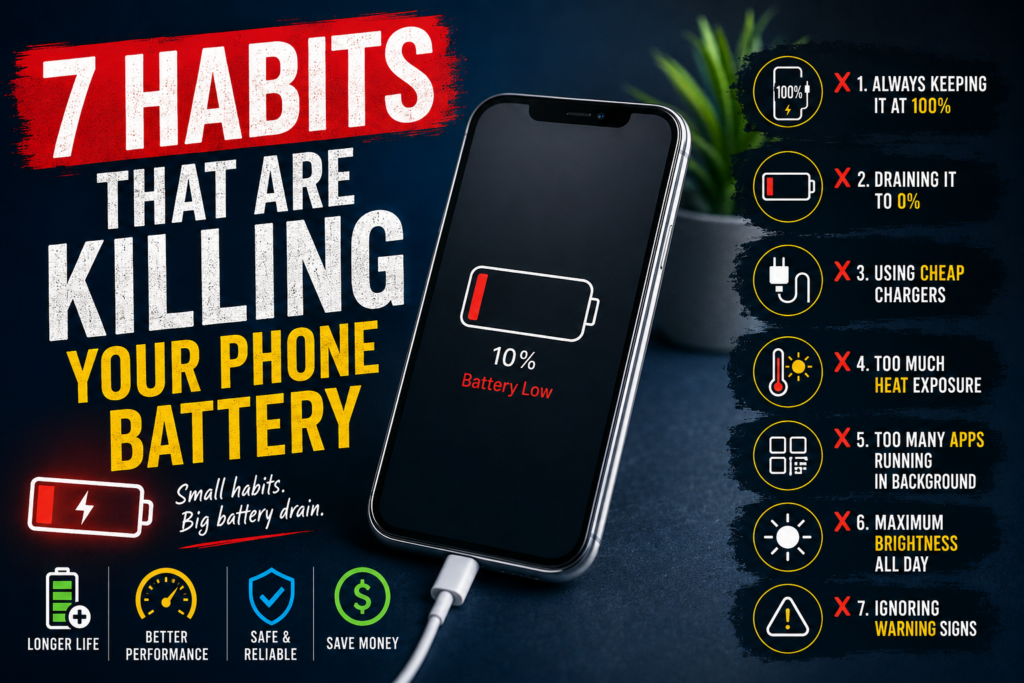
1. Keeping Your Phone at 100% All the Time
Many people believe keeping their phone plugged in overnight is the best thing they can do.
Actually, modern lithium-ion batteries prefer moderation.
Constantly staying at 100% puts additional stress on the battery cells over time.
Better Practice:
- Keep battery levels between 20% and 80% when possible
- Unplug after reaching full charge
- Use optimized charging features available on most smartphones
Your battery likes balance not extremes
2. Letting Your Battery Drop to 0% Regularly
Some people still think:
“I should completely drain the battery before charging.”
That advice worked years ago for older battery technology.
Modern smartphones use lithium-ion batteries, which don’t like being fully discharged repeatedly.
Better Practice:
Charge before the battery falls below 20%.
Your phone shouldn’t be living on life support every day.
3. Using Cheap Chargers and Cables
We’ve all seen them.
The suspiciously cheap charger that costs less than a cup of coffee.
While they may save money upfront, poor-quality chargers can:
- Damage battery cells
- Cause overheating
- Reduce charging efficiency
- Shorten battery lifespan
Better Practice:
Use manufacturer-approved or certified charging accessories.
Your phone deserves better than a mystery charger from the bargain bin.
4. Exposing Your Phone to Heat
Heat is one of the biggest enemies of battery health.
Common causes include:
- Leaving phones in cars
- Direct sunlight
- Gaming while charging
- Using navigation apps for hours
High temperatures accelerate battery degradation.
Warning Signs:
- Phone feels unusually hot
- Battery drains faster than normal
- Unexpected shutdowns
Think of your battery like ice cream.
It performs much better when it’s not melting.
5. Running Too Many Apps in the Background
Many apps continue working even when you’re not using them.
Common battery-draining apps include:
- Social media
- GPS apps
- Streaming services
- Weather apps
- Fitness trackers
Better Practice:
Regularly review battery usage settings and close unnecessary background activities.
Your battery shouldn’t be supporting twenty apps while you’re only using one.
6. Using Maximum Brightness All Day
Your display is one of the biggest battery consumers.
Running brightness at 100% continuously can significantly increase battery drain.
Better Practice:
- Enable auto-brightness
- Use dark mode when available
- Reduce brightness indoors
Your eyes and your battery will thank you.
7. Ignoring Battery Warning Signs
Most batteries don’t fail overnight.
They usually provide warning signs first.
Common Signs of Battery Failure:
- Battery drains unusually fast
- Phone shuts down unexpectedly
- Charging takes longer than normal
- Battery percentage jumps suddenly
- Device becomes hot while charging
- Battery swelling
Ignoring these signs can eventually lead to complete battery failure.
When Is It Time for a Battery Replacement?
Even with perfect habits, batteries don’t last forever.
Most smartphone batteries are designed for approximately 2-3 years of regular use.
Consider a battery replacement if:
✅ Battery health is below 80%
✅ You need multiple charges per day
✅ Device shuts down unexpectedly
✅ Charging performance has noticeably declined
Replacing the battery is often far cheaper than buying a new phone.
Repair or Replace Your Phone?
Many people assume poor battery life means they need a new device.
In reality, a simple battery replacement can make your phone feel almost new again.
Benefits include:
- Longer battery life
- Improved performance
- Better reliability
- Lower cost than upgrading
Sometimes your phone doesn’t need retirement.
It just needs a new battery.
Final Thoughts
Your battery works hard every single day.
But certain habits can dramatically shorten its lifespan and lead to expensive repairs or replacements.
Avoiding these common mistakes can help:
- Extend battery life
- Improve phone performance
- Reduce overheating
- Save money on repairs
- And if your battery is already showing signs of trouble, don’t wait until your phone dies at the worst possible moment.
- A professional battery replacement can often restore your device’s performance and add years to its life
Need a Battery Replacement?
Whether you use an iPhone, Samsung Galaxy, Google Pixel, or another smartphone, replacing a worn-out battery is one of the most cost-effective ways to keep your device running like new.
Your phone may not need replacing.
Your battery probably does.
