
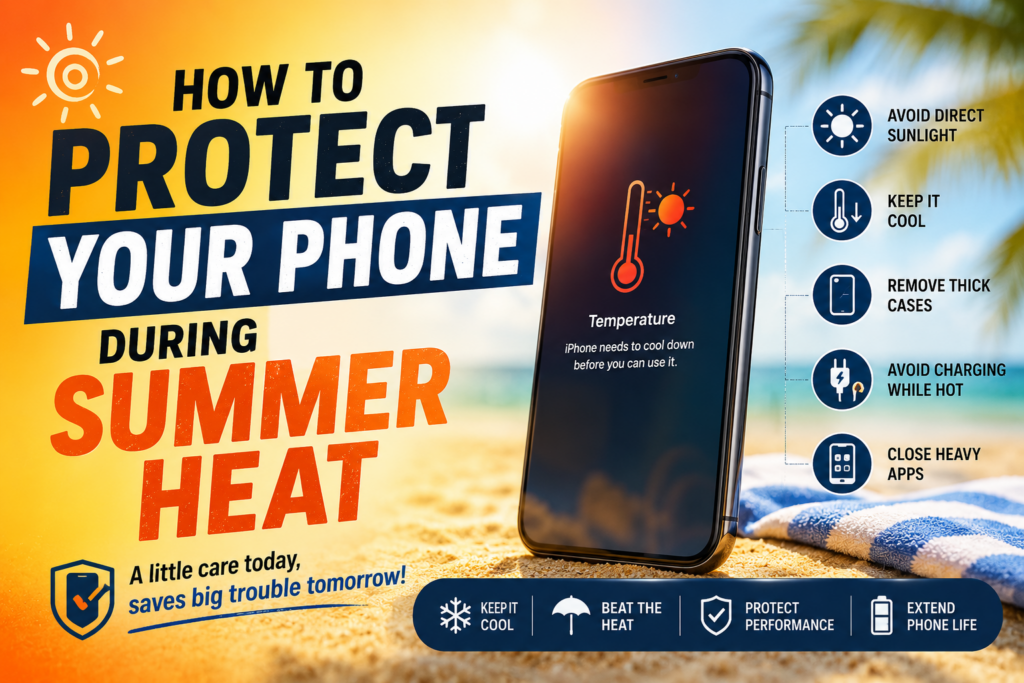
(Before your smartphone starts behaving like it’s personally offended by sunlight)
Summer is great for vacations, beach trips, ice creams… and absolutely terrible for your phone.
Yes, your smartphone this tiny computer you trust with your life hates heat more than you hate Monday mornings. And unlike you, it can actually shut down without warning.
Let’s break down how to keep your phone safe when temperatures start acting like they’re auditioning for a desert documentary.
Why Heat is a Big Problem for Your Phone
Your phone is built to handle normal temperatures, usually between 0°C to 35°C. Once it crosses that range, things start getting messy:
- Battery drains faster than usual
- Phone becomes slow or laggy
- Screen dims automatically
- Apps start crashing randomly
- Worst case: automatic shutdown
Inside your phone, the battery and processor generate heat already. Add external summer heat, and it’s basically a pressure cooker just without the whistle.
1. Avoid Direct Sunlight (Your Phone is Not a Beach Person)
Leaving your phone on a car dashboard or under direct sunlight is one of the fastest ways to overheat it.
Golden rule: If you wouldn’t sit there for 30 minutes, your phone shouldn’t either.
Avoid:
- Car dashboards
- Open window sills
- Beach towels in direct sun
- Bike holders without shade
Instead, keep it in:
- Bag pockets
- Shade
- Inside your clothing pocket (yes, your phone prefers your awkward sweat over the sun)
2. Don’t Use Heavy Apps in Heat Mode
Gaming, video editing, and long camera sessions generate heat on their own.
Now combine that with summer heat = disaster combo.
Try to avoid:
- High-end gaming in direct sunlight
- Recording long 4K videos outdoors
- Running too many apps simultaneously
Your phone is not trying to survive a stress test. Give it breaks.
3. Remove the Phone Case When It Gets Hot
Phone cases are great for protection but in extreme heat, they can trap warmth like a winter jacket in June.
If your phone feels hot:
- Remove the case for 10–15 minutes
- Let it cool in a shaded area
- Avoid placing it in the fridge (seriously, don’t do that condensation damage is real)
4. Avoid Charging in Hot Conditions
Charging naturally heats up your phone. Doing it in summer heat is like adding fuel to the fire.
Avoid:
- Charging under direct sunlight
- Charging while gaming or using hotspot
- Using low-quality chargers
Better habits:
- Charge in a cool, ventilated room
- Use original or certified chargers
- Remove thick cases while charging
5. Turn Off What You Don’t Need
Extra features = extra heat.
Switch off when not needed:
- Bluetooth
- GPS/location services
- Hotspot
- Background apps
Think of it as your phone going into “summer survival mode.”
6. Keep Your Phone Out of Hot Cars
A parked car in summer can reach 50–70°C inside.
That’s not just hot that’s “phone funeral planning” temperature.
Never leave your phone:
- On car seats
- In glove compartments
- Near windshield areas
Even a few minutes can cause overheating warnings.
7. Watch Out for Warning Signs
Your phone usually gives hints before things get serious:
- “Temperature too high” warning
- Screen brightness suddenly dropping
- Lag or freezing
- Camera not working temporarily
If you see these signs:
- Stop using the phone immediately
- Move it to a cool place
- Let it rest (yes, phones need breaks too)
8. Use Power Saving Mode Smartly
Power saving mode reduces background activity, which also reduces heat generation.
It’s not just for low battery it’s also a heat management tool.
Bonus Tip: Don’t Try “DIY Cooling Hacks”
Let’s clear some myths:
- ❌ Putting your phone in the fridge
- ❌ Freezer cooling
- ❌ Ice packs directly on phone
These can cause condensation inside the device, which leads to permanent damage.
Basically: you fix heat damage by creating water damage. Not a great trade.
Final Thoughts
Your phone is powerful but not invincible. Summer heat can quietly damage battery health, slow performance, and shorten your device’s lifespan.
A little care goes a long way:
Keep it cool, reduce heavy usage in heat, and avoid direct sunlight.
Because in the end, your phone just wants the same thing you do in summer:
shade, rest, and a little breathing room.
