
Introduction: What Happens When a Data Center Reaches the End of Its Life?
Data centers power much of our digital world. From cloud applications and enterprise software to artificial intelligence (AI) and high-performance computing, businesses rely on data center infrastructure every day.
But what happens when that infrastructure needs to be upgraded, relocated, consolidated, or shut down?
Servers must be disconnected and removed. Storage devices may still contain sensitive information. Networking equipment could have resale value, while outdated hardware needs responsible recycling.
Simply switching off the power and removing the equipment isn’t enough.
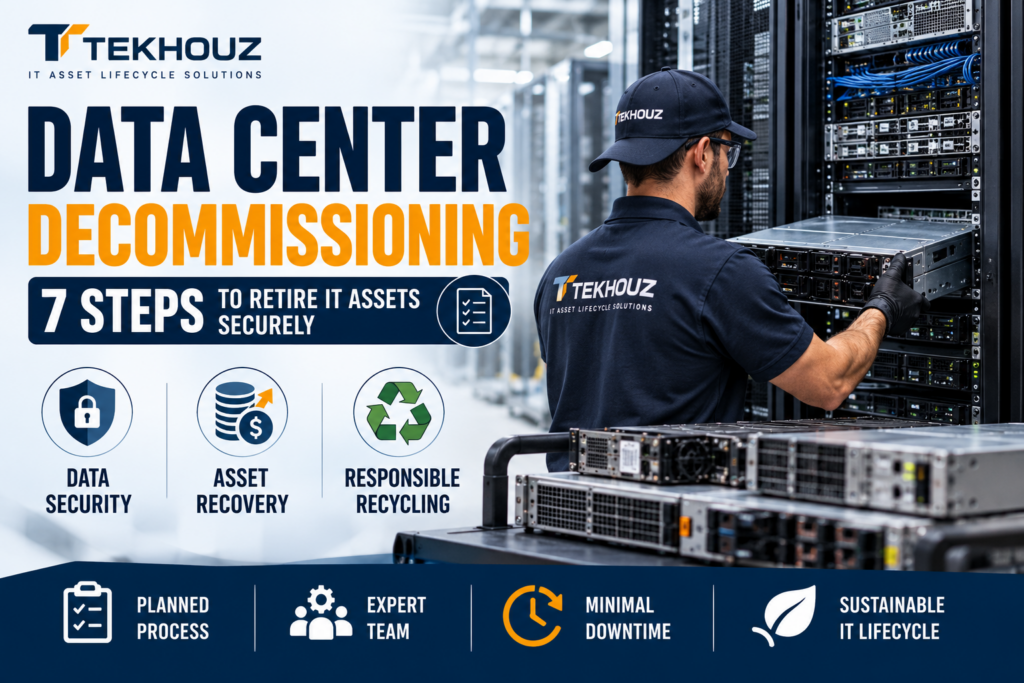
Data center decommissioning is the structured process of retiring IT infrastructure securely, efficiently, and responsibly. It involves planning, asset inventory, data sanitization, equipment removal, asset recovery, recycling, and final documentation.
Think of it as moving out of an office. You wouldn’t leave confidential documents in unlocked drawers or abandon expensive equipment. A data center deserves the same attention just with a few more cables.
In this guide, we’ll explore how data center decommissioning works, the risks businesses should avoid, how to recover value from retired IT equipment, and how Tekhouz can help organizations manage their IT asset lifecycle requirements.
What Is Data Center Decommissioning?
Data center decommissioning is the planned retirement and removal of IT equipment and infrastructure from a facility or operational environment.
It can involve an entire data center, a server room, selected racks, or individual assets that are no longer required.
Common equipment includes:
- Servers: Rack servers, blade servers, GPU servers, and AI computing systems.
- Storage equipment: Hard disk drives (HDDs), solid-state drives (SSDs), storage arrays, and backup systems.
- Networking hardware: Routers, switches, firewalls, and network appliances.
- Power and supporting equipment: Selected UPS systems, rack components, and related infrastructure.
- Other IT assets: Memory modules, processors, cables, and associated electronic equipment.
Businesses may decommission equipment because of technology upgrades, data center migrations, cloud adoption, facility consolidation, or changing computing requirements.
The objective is to retire infrastructure without creating unnecessary security risks, operational disruption, financial loss, or environmental harm.
Why Do Businesses Decommission Data Centers?
There are several reasons organizations choose to retire their IT infrastructure.
1. Technology Upgrades
Hardware that was suitable a few years ago may no longer meet current performance, capacity, or efficiency requirements.
For example, a business investing in AI workloads may need newer GPU servers, high-speed networking, and higher-density infrastructure.
The equipment being replaced still needs a proper end-of-life plan.
2. Data Center Migration and Consolidation
Organizations may move workloads to another facility, combine multiple data centers, or migrate certain operations to cloud platforms.
This creates equipment that must be identified, disconnected, transported, and accounted for.
Without proper planning, the transition can become complicated and expensive.
3. Rising Operational Costs
Electricity, cooling, maintenance, physical space, and hardware support can influence decisions about whether to retain or replace equipment.
Retiring selected assets may help organizations simplify their infrastructure and make better use of available resources.
4. Data Security and Compliance Requirements
Retired servers and storage devices may contain customer information, business records, intellectual property, credentials, or other sensitive data.
Deleting files or removing a device from the network does not automatically make that information unrecoverable.
Secure data sanitization must therefore be part of the retirement process.
5. IT Asset Recovery and Sustainability
Not every retired server belongs in a recycling facility.
Some equipment may be suitable for reuse, refurbishment, resale, or redeployment. Other assets may require responsible recycling.
Evaluating equipment before disposal can help businesses avoid discarding assets that still have economic value.
The Data Center Decommissioning Process: 7 Essential Steps
A successful project requires coordination between IT teams, security personnel, facilities managers, finance teams, and the decommissioning or IT Asset Disposition (ITAD) provider.
Here are seven essential steps.
Step 1: Assess the Infrastructure and Plan the Project
Before disconnecting anything, establish exactly what needs to be decommissioned.
This involves defining the project scope, identifying dependencies, assigning responsibilities, and setting a realistic timeline.
Key questions include:
- Which servers, racks, storage devices, and network components are being retired?
- Which applications or systems depend on this equipment?
- Does any data need to be migrated or retained?
- Which devices require secure data sanitization or physical destruction?
- What equipment may be suitable for reuse or resale?
- What access, safety, transportation, and documentation requirements apply?
A detailed plan helps reduce downtime, unexpected costs, and confusion during execution.
Practical tip: Never assume that a server is unused just because nobody remembers what it does. Confirm its status and dependencies before disconnecting it.
Step 2: Create an Accurate Asset Inventory
An accurate inventory is the foundation of a controlled decommissioning project.
Each asset should be identified and reconciled against available inventory or configuration records.
Depending on the project, records may include:
- Manufacturer and model
- Serial number or asset tag
- Equipment type and configuration
- Physical location or rack position
- Storage devices and data-bearing components
- Condition and potential recovery value
- Intended final disposition
For example, a rack containing 20 servers should not simply be recorded as “20 servers removed.”
The organization should know which specific assets were removed, where they went, and what happened to each one.
Incomplete inventory information can lead to delays, inaccurate financial records, lost equipment, and uncertainty about whether every data-bearing device has been accounted for.
Step 3: Protect Production Systems and Disconnect Equipment Safely
Decommissioning should never begin with someone randomly pulling cables.
Before equipment is disconnected, the relevant teams should verify that workloads have been migrated or retired, dependencies have been addressed, and required approvals are in place.
The process may involve:
- Confirming that the system is approved for retirement.
- Verifying backups, data migration, and application dependencies where applicable.
- Coordinating shutdowns with infrastructure and operations teams.
- Disconnecting power, networking, and other connections according to the approved plan.
- Labeling and documenting equipment and connections where required.
This is particularly important in complex environments where one server may support applications, databases, or services that other teams still depend on.
A short planning meeting can prevent a very long incident call.
Step 4: Perform Secure Data Sanitization or Destruction
This is one of the most important stages of data center decommissioning.
Servers, HDDs, SSDs, backup devices, and other storage media may contain information that must not be exposed to unauthorized parties.
Simply deleting files, formatting a drive, or removing it from a server is not sufficient proof that sensitive information has been securely removed.
The appropriate method depends on the media type, data sensitivity, organizational policies, and intended reuse or disposal route.
Common approaches include:
- Data erasure: Using an appropriate, verified method to remove stored information while potentially preserving the device for reuse.
- Cryptographic erase: Where supported and correctly implemented, rendering encrypted data inaccessible by sanitizing the relevant encryption keys.
- Physical destruction: Destroying storage media when required by the organization’s risk assessment, policy, or applicable requirements.
The National Institute of Standards and Technology (NIST) published SP 800-88 Revision 2, Guidelines for Media Sanitization, in September 2025. It provides guidance for establishing media-sanitization programs based on information sensitivity and appropriate controls.
The important lesson is to select the appropriate method, implement it correctly, and verify the outcome.
Remember: Data security should not end when the equipment leaves the building. Organizations should maintain appropriate tracking and chain-of-custody controls throughout the required sanitization or destruction process.
Step 5: Remove, Package, and Transport Equipment Securely
Once equipment has been approved for removal and the required data-handling arrangements are in place, physical removal can begin.
Servers, storage arrays, switches, and other components must be handled carefully to prevent damage, loss, or unauthorized access.
Important considerations include:
- Using appropriate tools and trained personnel.
- Following facility safety and equipment-handling procedures.
- Recording assets as they leave their designated locations.
- Protecting equipment during packaging and transportation.
- Maintaining appropriate transfer and receipt records.
- Applying additional security controls to sensitive or high-value assets.
High-density GPU servers and large storage systems may require specialized handling because of their weight, configuration, and value.
A damaged component may be harder to reuse or resell. More importantly, an undocumented transfer can create gaps in asset accountability.
The goal is to move equipment from the facility to its next destination without losing control of the assets or the information associated with them.
Step 6: Evaluate Assets for Reuse, Resale, or Responsible Recycling
Here is where good IT Asset Disposition practices can make a financial difference.
Retired does not always mean worthless.
Depending on condition, age, configuration, demand, security requirements, and testing results, equipment may be suitable for different outcomes.
| Asset condition or suitability | Potential next step |
| Functional equipment with continued business value | Redeployment or reuse |
| Equipment with resale potential | Testing, refurbishment, and resale |
| Components suitable for further use | Component recovery or remarketing |
| Equipment unsuitable for reuse | Responsible recycling |
| Media requiring destruction | Approved destruction process |
For example, a business replacing an older server fleet may find that some systems remain useful in secondary environments or have resale value.
However, recovery value is never guaranteed. Market demand changes, and the final outcome depends on the actual equipment and its condition.
An effective ITAD process assesses these possibilities rather than automatically sending every asset to recycling.
Responsible disposition also helps organizations manage electronic waste and document how retired equipment was handled.
Step 7: Reconcile Records and Complete the Documentation
The project is not complete just because the racks are empty.
The final stage is to verify that assets have been accounted for and that the required records are available.
Depending on the project, this may include:
- Final asset inventory and reconciliation
- Records of equipment removal and transfer
- Data sanitization or destruction reports
- Certificates of destruction where applicable
- Reuse, resale, or recycling records
- Asset valuation and financial reconciliation
- Relevant environmental and downstream processing documentation
These records help IT, security, finance, procurement, and compliance teams understand the final outcome.
They also provide evidence to support internal reviews and applicable audit requirements.
A useful rule: if an asset was removed, the organization should be able to establish what happened to it.
How Tekhouz Can Help with Data Center Decommissioning
Decommissioning a data center involves more than removing equipment. Businesses need to consider data security, asset accountability, recovery opportunities, and the responsible handling of retired IT hardware.
Tekhouz supports IT Asset Disposition (ITAD), certified data destruction, device refurbishment, and IT infrastructure support. These service areas are relevant to businesses planning infrastructure upgrades, managing surplus equipment, or retiring IT assets.
Here is how Tekhouz’s service offerings can support your IT asset lifecycle requirements.
1. IT Asset Disposition and Asset Recovery
Retired IT equipment may still hold financial value. Disposing of everything as electronic waste can mean missing opportunities to recover that value.
Tekhouz’s ITAD focus supports the evaluation and responsible disposition of retired IT assets, with potential options including reuse, refurbishment, resale, or recycling where suitable.
This may be relevant to organizations retiring servers, storage devices, networking equipment, and other enterprise IT hardware.
Potential benefits for your business:
- Identify assets that may be suitable for reuse or resale.
- Consider appropriate disposition options for equipment at the end of its useful life.
- Support better asset accountability throughout the disposition process.
- Explore opportunities to recover value from eligible IT hardware.
Actual recovery value depends on equipment condition, configuration, market demand, and processing costs.
2. Certified Data Destruction and Data Protection
Data security remains a critical consideration when retiring servers, storage systems, and other data-bearing equipment.
Tekhouz offers certified data destruction services to help businesses address data security requirements during IT asset retirement.
The appropriate method should be selected according to the storage media, organizational policies, and applicable security requirements.
Potential benefits for your business:
- Address risks associated with data remaining on retired equipment.
- Support secure handling of data-bearing devices.
- Maintain appropriate records of data destruction and asset disposition.
- Help protect sensitive business and customer information.
Before beginning a project, confirm the applicable sanitization or destruction methods, verification procedures, documentation, and service scope with Tekhouz.
3. AI Infrastructure and GPU Hardware Lifecycle Support
As businesses expand their AI capabilities, they may need to upgrade, replace, or redeploy GPU servers and other high-performance computing equipment.
These assets can require careful evaluation because their condition, configuration, and market demand may affect their future use and recovery value.
Tekhouz’s AI infrastructure focus provides a relevant starting point for businesses evaluating their infrastructure lifecycle and asset recovery requirements.
Businesses planning an AI infrastructure transition can explore their requirements with Tekhouz and determine which services are appropriate for their equipment and project scope.
Potential benefits for your business:
- Evaluate retired AI and GPU infrastructure for potential recovery opportunities.
- Consider refurbishment, reuse, resale, or responsible recycling where appropriate.
- Include asset disposition in infrastructure upgrade planning.
- Manage the transition from older equipment to newer computing infrastructure more systematically.
Explore the Tekhouz AI Infrastructure Solutions page to learn more.
4. Responsible IT Equipment Handling and Refurbishment
Not all retired equipment needs to be discarded. Depending on its condition, age, specifications, and security requirements, some hardware may be suitable for refurbishment or further use.
Tekhouz provides device refurbishment services that can help businesses consider appropriate options for retired equipment.
Where refurbishment or resale is not viable, responsible recycling may be the more suitable route.
The objective is to make informed decisions about each asset instead of treating every retired device the same way.
5. Support for a More Structured IT Asset Retirement Process
Data center decommissioning can involve multiple teams, equipment categories, security requirements, and logistical considerations.
Tekhouz can be a potential partner for businesses looking to discuss ITAD, data destruction, refurbishment, and IT infrastructure support requirements.
Before engaging a provider, establish the project scope, service coverage, equipment volumes, data security requirements, documentation needs, and expected recovery outcomes.
This creates a clearer basis for planning the project and selecting the right services.
What Are the Biggest Risks of Poor Data Center Decommissioning?
An unplanned project can create problems that extend well beyond the physical removal of equipment.
Data Exposure
Storage devices may retain sensitive information if sanitization is overlooked or performed incorrectly.
Unexpected Downtime
Disconnecting equipment without confirming dependencies can disrupt systems that are still in use.
Lost or Unaccounted-for Assets
Incomplete inventory records can make it difficult to track equipment and reconcile its financial value.
Lost Recovery Opportunities
Sending reusable equipment directly for recycling may eliminate potential resale or redeployment opportunities.
Environmental and Compliance Concerns
Improper handling of electronic waste or inadequate documentation may create regulatory, contractual, or reputational risks, depending on the circumstances.
The best way to reduce these risks is to establish clear procedures before the first device is disconnected.
How Can Businesses Maximize IT Asset Recovery During Decommissioning?
Data center decommissioning is often viewed as a cost. With proper planning, organizations may be able to offset part of that cost by recovering value from eligible equipment.
Consider these practices:
1. Start asset valuation early. Identify potentially reusable or marketable equipment during the planning phase rather than after it has been dismantled.
2. Preserve accurate configurations and records. Complete systems with traceable specifications are generally easier to evaluate than equipment with missing components or unclear histories.
3. Protect equipment during removal. Appropriate handling and packaging can help preserve the condition of assets that may be reused or resold.
4. Match data sanitization to the asset’s intended future. Where permitted by policy and risk requirements, verified sanitization may preserve reuse options. Where it is not appropriate, destruction may be necessary.
5. Track financial outcomes. Reconcile equipment valuations, actual recovery proceeds, processing costs, and final disposition records.
The aim is to balance three priorities: security, financial recovery, and responsible end-of-life management.
What Should You Look for in a Data Center Decommissioning Partner?
Choosing a service provider is an important decision, particularly when a project involves large quantities of equipment or sensitive data.
Before selecting a provider, ask:
- Can they support the scope and location of the project?
- Do they have a documented asset inventory and tracking process?
- Can they explain their data sanitization and destruction methods?
- How do they maintain chain of custody during removal and transportation?
- Can they assess equipment for reuse, resale, or recycling?
- What reports and supporting documentation will they provide?
- Which certifications, insurance coverage, and environmental controls apply to the specific services being offered?
Don’t select a provider based on price alone. A lower initial quote may not reflect the full cost of secure handling, documentation, equipment recovery, and final disposition.
The right partner should explain the process clearly and establish how the project will be managed from planning through completion.
Frequently Asked Questions (FAQs)
1. What is data center decommissioning?
Data center decommissioning is the planned retirement and removal of IT infrastructure, including servers, storage systems, networking equipment, and related assets. It typically includes inventory management, secure data handling, equipment removal, asset recovery, recycling, and documentation.
2. How long does data center decommissioning take?
The timeline depends on the size of the facility, the number and type of assets, operational dependencies, security requirements, access restrictions, and project complexity. A small server-room project may be relatively straightforward, while a large facility migration or closure may require extensive planning and phased execution.
3. Is deleting data enough before disposing of a server?
No. Deleting files or formatting a storage device does not, by itself, establish that sensitive information is unrecoverable. Organizations should select and verify appropriate media-sanitization methods based on the media type, information sensitivity, and applicable requirements.
4. Can old data center servers be resold?
Potentially, yes. Equipment that passes appropriate assessment and meets security and commercial requirements may be eligible for refurbishment, reuse, or resale. Actual recovery value depends on the hardware’s condition, specifications, market demand, and associated processing costs.
5. What is the difference between ITAD and data center decommissioning?
Data center decommissioning focuses on retiring and removing equipment from a data center or infrastructure environment. IT Asset Disposition (ITAD) covers the broader management of retired IT assets, including data sanitization, refurbishment, resale, recycling, and final disposition. The two processes often work together.
6. What is a certificate of data destruction?
A certificate of data destruction is a record issued by a service provider to document the destruction of specified data-bearing media. Its format and evidentiary value depend on the process and provider. Organizations should confirm that the documentation identifies the relevant assets and meets their internal and applicable external requirements.
7. Why work with an ITAD specialist?
A qualified specialist can help coordinate asset tracking, equipment handling, secure data processing, logistics, value recovery, and final documentation. The appropriate provider should be selected based on the project’s requirements, verified capabilities, and relevant certifications.
Final Thoughts: Decommission Smart, Not Just Fast
Data center decommissioning is more than clearing racks and removing old servers. It is an opportunity to strengthen data security, improve asset accountability, recover value from eligible equipment, and manage electronic waste responsibly.
A well-planned process helps businesses avoid unnecessary risks and gives every retired asset a documented path forward.
Whether you’re upgrading GPU infrastructure, consolidating server rooms, migrating workloads, or retiring an entire facility, the right approach begins with a clear plan and ends with verified outcomes.
Planning a Data Center Decommissioning or AI Infrastructure Project?
Retiring servers, upgrading GPU infrastructure, or consolidating a data center? Start planning your IT asset disposition requirements before equipment is disconnected.
Tekhouz supports IT Asset Disposition, certified data destruction, device refurbishment, and IT infrastructure support. Discuss your requirements with the team to explore the services and processes that best fit your project.
Explore Tekhouz:
Plan your IT asset recovery with Tekhouz.
