
Is Your Laptop Working Hard… or Hardly Working?
Let’s be honest.
For students, a laptop is basically a portable classroom, library, research assistant, and entertainment center rolled into one.
For professionals, it’s your office, your paycheck, your meeting room, and sometimes your therapist during stressful deadlines.
So when your laptop starts acting strange, slowing down, overheating, or refusing to charge, the question isn’t:
“Should I repair it?”
The real question is:
“What should I fix first before it becomes an expensive disaster?”
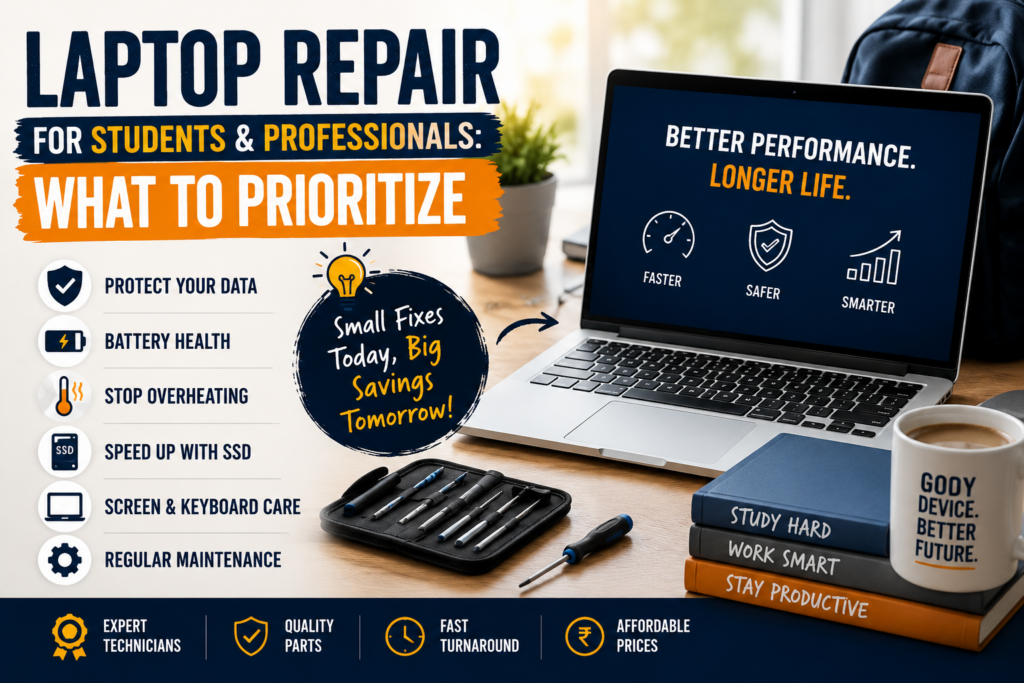
Let’s break down the most important laptop repairs and upgrades that students and professionals should prioritize.
1. Data Protection Comes First
Imagine spending weeks on a college project only for your laptop to crash the night before submission.
Or losing an important client presentation five minutes before a meeting.
Sounds painful, right?
Before worrying about performance, protect your data.
Prioritize:
- Hard drive health checks
- SSD upgrades
- Data backup solutions
- Virus and malware removal
A failed hard drive can cost far more than a simple preventive repair.
2. Battery Problems Should Never Be Ignored
Many people think:
“I’ll just keep it plugged in all the time.”
That’s like driving a car with a damaged fuel tank because you only travel short distances.
Common battery warning signs:
- Rapid battery drain
- Unexpected shutdowns
- Battery swelling
- Laptop only works when plugged in
A failing battery can eventually damage internal components and create safety risks.
3. Overheating Can Destroy Performance
If your laptop sounds like a jet engine preparing for takeoff, that’s not a good sign.
Overheating can cause:
- Slow performance
- Random shutdowns
- Motherboard damage
- Reduced battery life
Many students blame Zoom.
Many professionals blame Excel.
But often, the real culprit is years of accumulated dust.
Common fixes:
- Internal cleaning
- Fan replacement
- Thermal paste replacement
Your laptop should help you work not cook your lunch.
4. Upgrade to an SSD Before Buying a New Laptop
One of the biggest mistakes people make is replacing an entire laptop when they only need an SSD upgrade.
A traditional hard drive can make even a powerful laptop feel ancient.
An SSD can:
- Improve boot times
- Speed up applications
- Improve multitasking
- Extend laptop life
Think of it as giving your laptop a strong cup of coffee that never wears off.
5. Don’t Ignore Screen Damage
A small crack rarely stays small.
Students often continue using cracked screens because assignments still get done.
Professionals often delay repairs because meetings can still happen.
But damaged screens can worsen over time and eventually become unusable.
Repair early if you notice:
- Flickering display
- Dead pixels
- Screen lines
- Cracks spreading
6. Keyboard and Charging Port Issues Matter More Than You Think
A missing key may seem harmless.
Until your password contains that letter.
Likewise, a loose charging port may work today but fail completely tomorrow.
Common issues:
- Sticky keys
- Non-responsive keys
- Broken charging ports
- Loose USB ports
These small repairs are usually inexpensive when addressed early.
7. Security and Virus Removal Should Be a Priority
Students download notes.
Professionals download reports.
Unfortunately, hackers know this.
Malware can:
- Slow your system
- Steal passwords
- Corrupt files
- Expose sensitive information
Regular security checks can prevent major headaches later.
8. Regular Maintenance Saves Money
Most people only visit a repair technician when their laptop stops working.
That’s like only visiting a doctor after breaking a bone.
Preventive maintenance can identify problems before they become expensive repairs.
Recommended every 6-12 months:
- Internal cleaning
- Hardware inspection
- Battery testing
- Storage health checks
- Software optimization
When Should You Repair Instead of Replace?
Consider repairing when:
The laptop is less than 5 years old
The motherboard is healthy
Performance issues can be solved with upgrades
Repair cost is significantly lower than replacement
Consider replacement when:
Repair costs exceed the laptop’s value
Multiple major components have failed
Your system can no longer support required software
Final Thoughts
Whether you’re a student racing to submit assignments or a professional managing critical work, your laptop is one of your most valuable tools.
Ignoring small problems often leads to bigger bills, lost productivity, and unnecessary stress.
The smartest approach isn’t waiting for your laptop to fail.
It’s identifying and fixing issues before they become expensive emergencies.
Because replacing a battery is affordable.
Replacing an entire laptop because you ignored the battery? Not so much.
Need Professional Laptop Repair?
Regular diagnostics, cleaning, upgrades, and timely repairs can extend your laptop’s life by years while saving hundreds of dollars in replacement costs.
Don’t wait until your laptop quits during an important class, meeting, or deadline. Your future self will thank you.
