
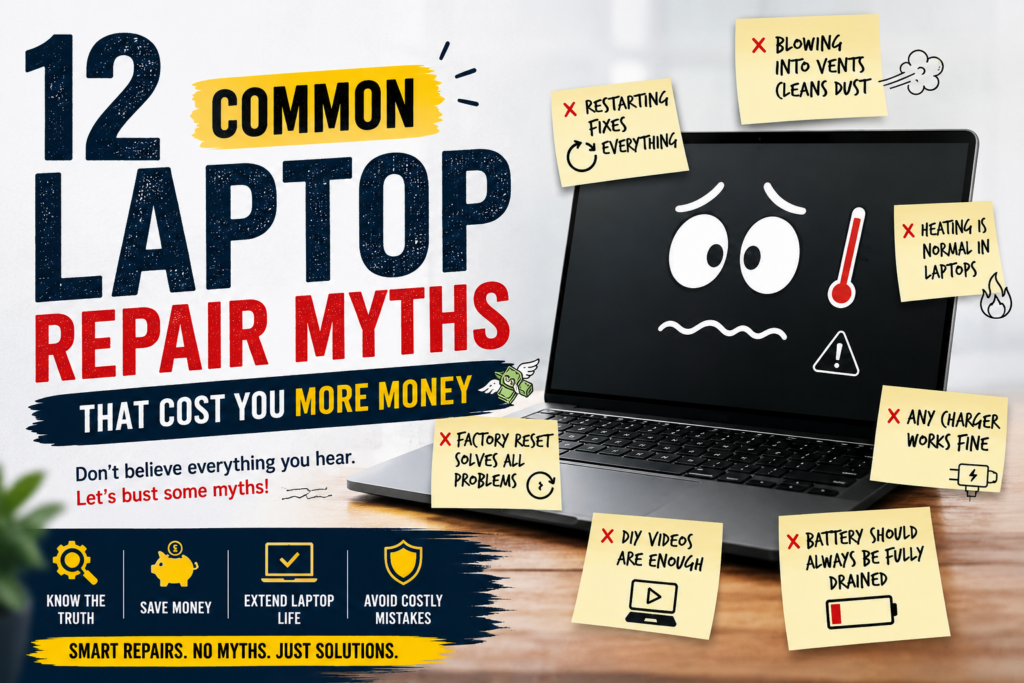
If your laptop has ever started slowing down, heating up like a tandoor, or refusing to charge at the worst possible moment you’ve probably heard advice. A lot of it. From friends, YouTube “experts,” and that one cousin who fixes everything by hitting it twice.
The problem? Most of these laptop repair myths don’t just fail they actually cost you more money in the long run.
Let’s break them down before your next “quick fix” turns into a full motherboard replacement.
Myth 1: “Restarting your laptop fixes everything”
Yes… and no.
Restarting helps with minor software glitches, but it won’t fix hardware issues, overheating, or a dying battery.
Reality: If your laptop needs a restart every 30 minutes to behave normally, it’s not “buggy” it’s begging for repair.
This one is ancient and dangerously misleading.
Myth 2: “Blowing into vents cleans dust”
Blowing air into vents might move dust but mostly deeper inside the system.
Reality: You’re basically giving your laptop a “dust facial massage” that clogs it further.
Proper cleaning requires compressed air + internal servicing, not your lungs.
Myth 3: “Heating is normal in laptops”
No, your laptop is not supposed to double as a room heater.
Some warmth is normal. But if it feels like it could toast bread, something is wrong.
Reality: Overheating reduces CPU life, damages motherboard components, and slows performance.
Ignoring it = expensive repair later.
Myth 4: “More RAM will fix everything”
Adding RAM helps… but it’s not magic.
If your laptop is slow due to a damaged hard drive, malware, or outdated processor, RAM won’t save it.
Reality: It’s like putting bigger tires on a broken engine car.
Myth 5: “Factory reset solves all problems”
Factory reset is the “I give up” button.
It removes software issues but does nothing for hardware faults.
Reality: If your battery is dying or motherboard is damaged, resetting your laptop is like repainting a broken wall.
Myth 6: “Any charger works fine”
This myth has killed more laptop batteries than anything else.
Cheap or mismatched chargers can damage battery cells and power ICs.
Reality: Your laptop is picky. Use the original or certified charger only.
Myth 7: “Antivirus slows down your laptop”
Nope. Viruses do.
A good antivirus protects your system. Malware is what actually slows it down.
Reality: Removing antivirus because “it slows laptop” is like removing locks because they take time to open.
Myth 8: “DIY repair videos are enough”
YouTube makes everything look easy including surgery.
But laptop hardware is delicate. One wrong screw and your ₹80,000 laptop becomes a paperweight.
Reality: Watching a video ≠ professional repair experience.
Myth 9: “Putting laptop in fridge fixes overheating”
Yes, people actually try this.
Moisture + electronics = disaster combo.
Reality: You’re not cooling your laptop you’re slowly preparing it for a short circuit.
Myth 10: “Battery should always be fully drained before charging”
This was true for old nickel batteries not modern lithium-ion ones.
Reality: Fully draining modern batteries reduces their lifespan.
Best practice: Keep it between 20%–80%.
Myth 11: “Cleaning keyboard with wet cloth is safe”
Unless you want sticky keys and internal damage don’t.
Reality: Liquid and laptops are not friends. Even a small spill can cause corrosion.
Use dry microfiber cloth or professional cleaning.
Myth 12: “Repair is always expensive, so better to buy new”
This is the most expensive myth of all.
Many issues battery replacement, SSD upgrade, overheating, keyboard repair cost far less than a new laptop.
Reality: A good repair can extend your laptop life by 2- 4 years easily.
